JSON and YAML are both formats for representing structured data. You will often encounter them in web development, APIs, configuration files, DevOps workflows, and data conversion tools.
At first glance, they may look quite different. JSON uses braces, brackets, commas, and quoted strings, while YAML relies heavily on indentation and line structure.
The important question is not which format is universally better. The better choice depends on how the data will be created, read, transferred, and processed.
What is JSON?
JSON stands for JavaScript Object Notation. It is a lightweight data interchange format designed around a simple data model that can be processed across programming languages.
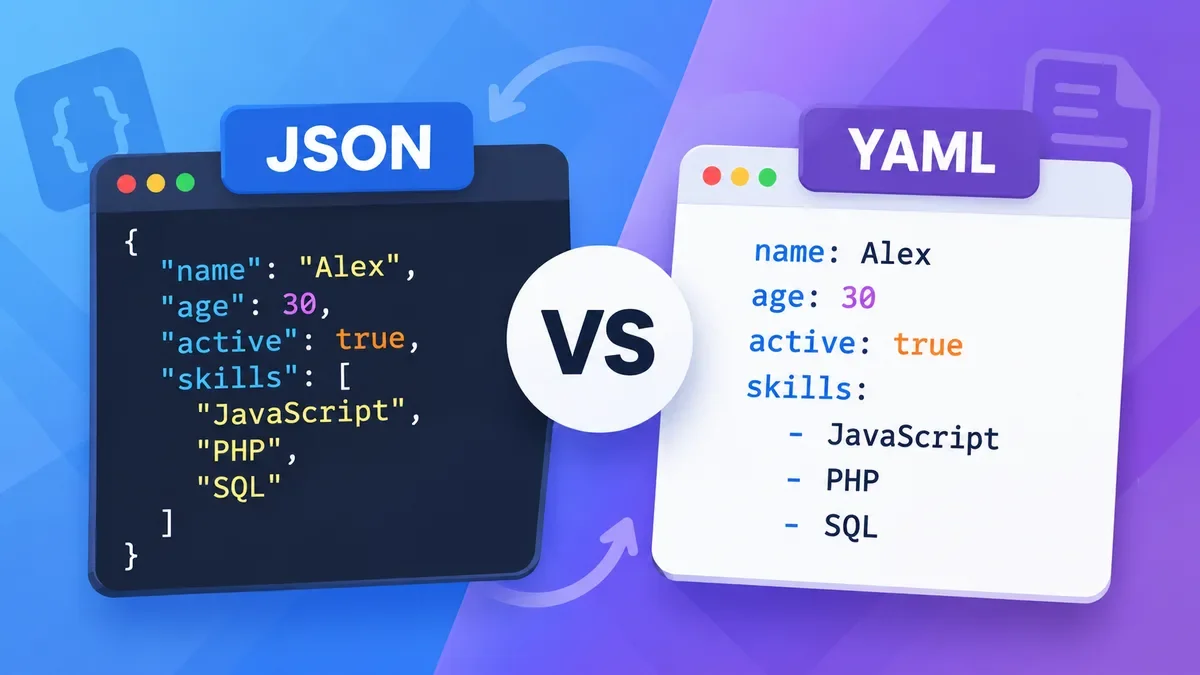
A basic JSON object looks like this:
{
  "name": "Alex",
  "age": 30,
  "active": true,
  "skills": ["JavaScript", "PHP", "SQL"]
}
JSON uses a relatively strict syntax. Objects use curly braces, arrays use square brackets, property names are enclosed in double quotes, and items are separated by commas.
This strict structure is one reason JSON is widely used for APIs and applications that need predictable machine-readable data.
What is YAML?
YAML is a human-oriented data serialization format. Its syntax is based largely on indentation, which can make configuration files easier to read.
The same data can be represented in YAML like this:
name: Alex
age: 30
active: true
skills:
  - JavaScript
  - PHP
  - SQL
There are fewer punctuation characters, so nested configuration can often be easier to scan.
The YAML specification describes JSON and YAML as having different priorities: JSON emphasizes simplicity and universality, while YAML puts greater emphasis on human readability and representing native data structures.
JSON vs YAML: Syntax
The most obvious difference is syntax.
JSON:
{
  "server": {
    "host": "example.com",
    "port": 443
  }
}
YAML:
server:
  host: example.com
  port: 443
JSON explicitly shows the structure with braces, commas, and quotation marks.
YAML uses indentation to represent nesting.
This makes YAML visually shorter in many configuration scenarios, while JSON's explicit punctuation can make its structure easier for software and automated tools to handle consistently.
JSON vs YAML: Readability
YAML is generally easier to read when a configuration contains many nested values.
For example:
database:
  host: localhost
  port: 3306
  username: app
  options:
    cache: true
    timeout: 30
The hierarchy is visible from indentation.
JSON represents the same structure more explicitly:
{
  "database": {
    "host": "localhost",
    "port": 3306,
    "username": "app",
    "options": {
      "cache": true,
      "timeout": 30
    }
  }
}
For larger configuration files, YAML can therefore be more comfortable for humans to maintain.
However, indentation is also important in YAML. An incorrect indentation level can change the structure of the document or cause a parsing error.
One practical difference is comments.
Standard JSON does not provide a general-purpose comment syntax.
YAML supports comments using #.
For example:
server:
  port: 443 # HTTPS port
This can be useful when configuration files are maintained by multiple people or need explanations for unusual settings.
If the same information needs to be represented in JSON, comments generally cannot be included as ordinary JSON syntax.
JSON vs YAML: Data Types and Flexibility
Both formats can represent common values such as strings, numbers, booleans, arrays, objects, and null values.
YAML, however, has a broader data model and additional features. The YAML specification describes YAML as a format designed for human readability and serialization of more general native data structures.
That flexibility can be useful, but it also means YAML processing can be more complex.
For data that needs to move reliably between different applications and programming languages, JSON's simpler model can be an advantage.
JSON vs YAML for APIs
JSON is usually the more natural choice for web APIs.
A typical API response might look like:
{
  "id": 1024,
  "name": "Alex",
  "email": "alex@example.com",
  "roles": ["admin", "editor"]
}
Applications can parse this structure and use the resulting data directly.
JSON is also well supported across programming languages and platforms. Its simplicity and interoperability were explicit design goals of the format.
YAML can represent the same information, but JSON is generally a more common choice when data is primarily exchanged between software systems.
JSON vs YAML for Configuration Files
YAML is often a convenient choice for configuration.
For example:
app:
  name: My Application
  debug: false

database:
  host: db.example.com
  port: 5432
The structure is easy to scan and comments can be added when needed.
This is one reason YAML is frequently encountered in development and DevOps configuration workflows.
However, YAML is not automatically better for every configuration file. If predictable parsing, strict syntax, or compatibility with existing APIs is more important, JSON may be preferable.
Which is Easier to Parse?
JSON has a simpler syntax and a deliberately limited data model. That makes it relatively straightforward for programming languages to generate and parse.
YAML offers more expressive features, but its additional flexibility requires more complex processing.
The YAML specification itself notes this trade-off: JSON favors simplicity and universality, while YAML favors human readability and a more complete information model.
For developers, this means JSON can be a good default when the primary consumer is software, while YAML can be attractive when people will frequently edit the data manually.
JSON vs YAML: Which Is Faster?
There is no universal speed winner for every implementation.
Parsing performance depends on the programming language, parser library, document size, data structure, and implementation details.
For most everyday web development tasks, the difference in parser performance is less important than choosing the format that fits the workflow.
If an application already expects JSON, converting everything to YAML simply for theoretical performance reasons usually does not make sense.
Can JSON Be Converted to YAML?
Yes.
Because the two formats can represent many of the same basic data structures, converting between JSON and YAML is a common developer workflow.
For example, this JSON:
{
  "name": "Alex",
  "skills": ["JavaScript", "PHP"]
}
can be represented as:
name: Alex
skills:
  - JavaScript
  - PHP
ToolCMB's JSON Formatter & Validator includes JSON-to-YAML conversion alongside formatting, validation, JSONPath filtering, CSV, XML, and TypeScript output. The processing runs in the browser rather than uploading the JSON to a server.
This is useful when you already have JSON data but need it in a configuration-friendly YAML format.
JSON vs YAML: Which Should You Use?
A simple rule of thumb is:
Choose JSON when:
-
You are building or consuming a web API.
-
Data is primarily exchanged between applications.
-
You want a compact and predictable syntax.
-
Your existing application already expects JSON.
-
Cross-language interoperability is important.
-
You want a straightforward machine-readable format.
Choose YAML when:
-
Humans frequently edit the file.
-
You are creating configuration files.
-
Comments are useful.
-
The configuration contains many nested values.
-
Readability is more important than compact syntax.
There is no requirement to use only one format across an entire project. A common approach is to use JSON for application data and APIs while using YAML for human-maintained configuration.
JSON vs YAML Example
Consider a simple application configuration.
JSON:
{
  "application": {
    "name": "My App",
    "environment": "production",
    "debug": false
  },
  "server": {
    "host": "0.0.0.0",
    "port": 8080
  }
}
YAML:
application:
  name: My App
  environment: production
  debug: false

server:
  host: 0.0.0.0
  port: 8080
Both describe essentially the same structure.
The JSON version is more explicit about its boundaries. The YAML version is shorter and easier to scan.
The choice depends on who needs to work with the file and how the data will be consumed.
JSON vs YAML at a Glance
| Feature |
JSON |
YAML |
| Human readability |
Good |
Excellent |
| Machine readability |
Excellent |
Excellent |
| API data |
Excellent |
Possible |
| Configuration |
Good |
Excellent |
| Comments |
No standard comments |
Yes |
| Syntax |
More explicit |
More concise |
| Indentation-sensitive |
No |
Yes |
| Flexibility |
More limited |
More flexible |
| Cross-language use |
Excellent |
Excellent |
| Typical use |
APIs and data exchange |
Configuration |
If you are working with JSON and need to inspect or transform it, a dedicated formatter can save time compared with manually editing the structure.
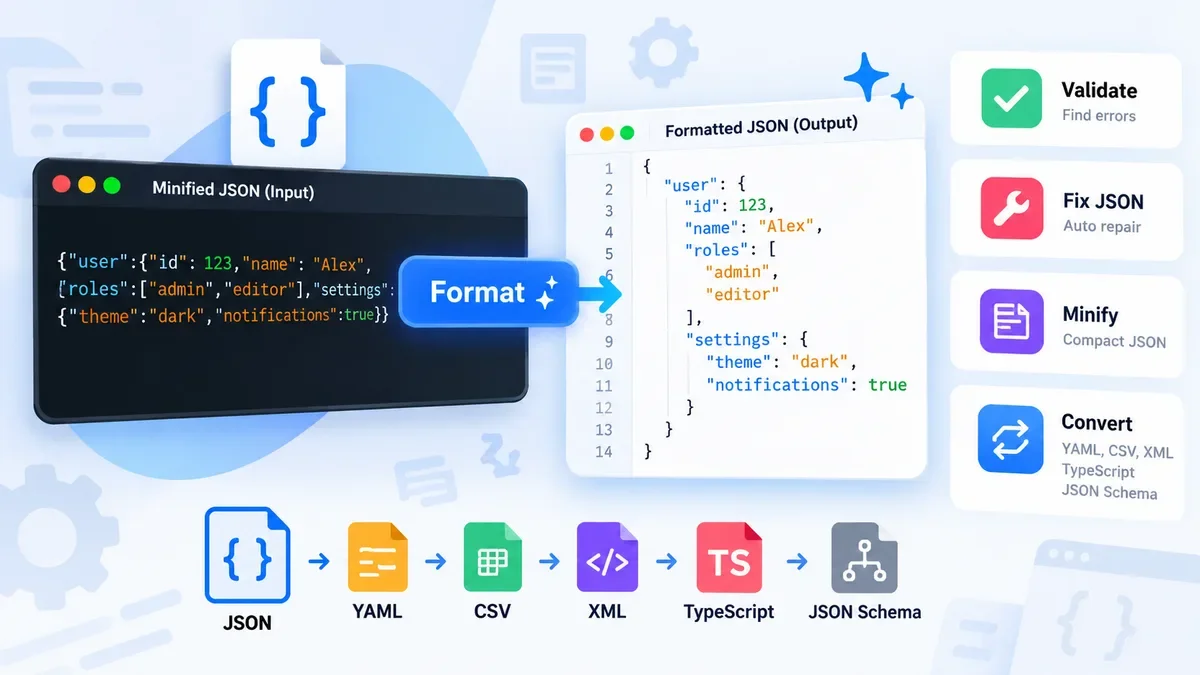
ToolCMB's JSON Formatter lets you:
-
Format and beautify JSON.
-
Minify JSON.
-
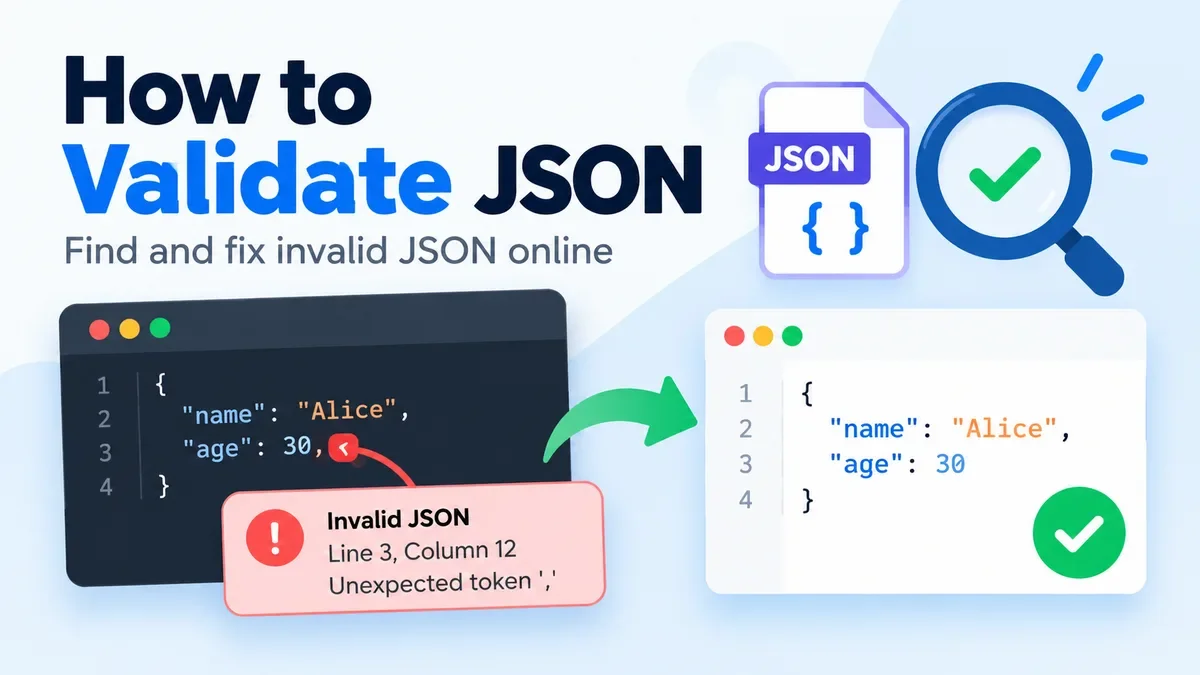
Validate JSON.
-
Identify syntax errors by line and column.
-
Repair several common JSON mistakes.
-
Explore JSON using tree and table views.
-
Filter data with JSONPath.
-
Convert JSON to YAML, CSV, XML, and TypeScript.
-
Open or drag and drop JSON files.
-
Process the data locally in the browser.
For example, if you receive a large API response that is difficult to read, you can paste it into the JSON Formatter & Validator and format it before inspecting the structure.
If you are working with YAML as part of a larger development workflow, ToolCMB's Code Formatter also supports YAML formatting alongside JavaScript, TypeScript, CSS, HTML, XML, SQL, Markdown, and other formats.
JSON vs YAML: The Bottom Line
JSON and YAML solve similar problems but optimize for different priorities.
JSON is a strong choice when you need a simple, predictable, widely supported format for APIs and data exchange.
YAML is often more comfortable when people need to read and edit configuration files, especially when comments and a clean indentation-based structure are useful.
Neither format is universally better. The best choice depends on whether your priority is machine-to-machine interoperability, human-friendly configuration, or compatibility with the tools already used in your project.
If you frequently move data between the two formats, using a JSON formatter and converter can make the workflow much faster than editing the syntax manually.