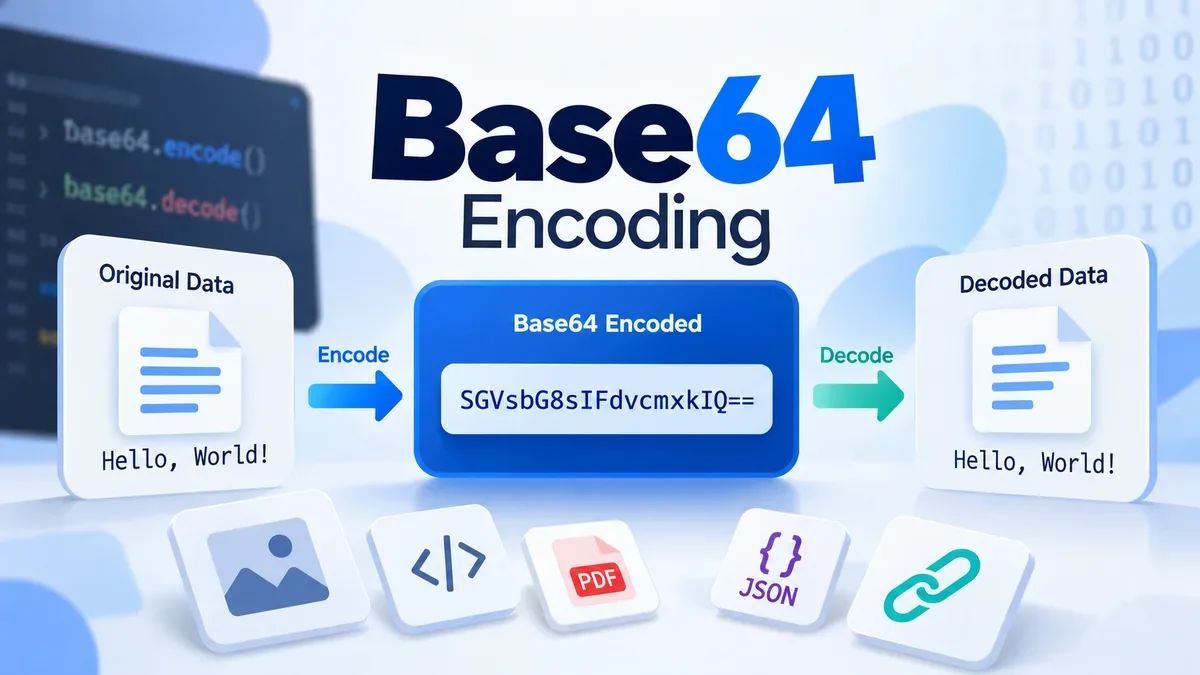
Base64 is a binary-to-text encoding method that represents binary data as a sequence of text characters. It is useful when binary data needs to pass through systems or formats that are primarily designed to handle text.
Unlike encryption, Base64 does not hide information or make data secure. A Base64 string can normally be decoded back into the original data without a secret key.
The name "Base64" comes from the 64-character alphabet used by the standard encoding scheme. In the common Base64 format, the alphabet contains uppercase letters, lowercase letters, digits, +, and /, with = used as padding when necessary.
How Does Base64 Work?
Base64 processes data as bytes and converts those bytes into groups of 6-bit values.
A byte contains 8 bits, while a Base64 character represents 6 bits. Three bytes therefore contain 24 bits, which can be represented by four Base64 characters, each containing 6 bits.
For example:
Hello
can be represented in Base64 as:
SGVsbG8=
The encoded result is still data. It is simply represented using characters that are convenient for text-based systems.
Because of this conversion, Base64 usually makes the encoded representation larger than the original binary data. Three 8-bit bytes become four 6-bit Base64 characters, resulting in an overhead of roughly 33% for larger inputs.
Base64 Encoding vs. Decoding
Base64 encoding converts bytes into a Base64 string.
Original data
      ↓
Base64 encoding
      ↓
Base64 string
Decoding reverses the process:
Base64 string
      ↓
Base64 decoding
      ↓
Original bytes
For example:
Text:    Hello
Base64:  SGVsbG8=
Decoding SGVsbG8= produces the original Hello data again.
Modern browsers provide JavaScript APIs such as btoa() for creating Base64 representations from binary strings and atob() for decoding Base64 data. When working with arbitrary Unicode text, however, the data should be converted to UTF-8 bytes before Base64 encoding.
What Is Base64 Used For?
Base64 is useful in situations where binary information needs to be represented as text.
Common examples include:
Email
Base64 has historically been used with MIME email to represent binary attachments and other data in a text-compatible format.
APIs and Data Transfer
Applications sometimes use Base64 to represent binary values inside text-based formats such as JSON.
For example, an API response might contain a Base64-encoded image or document instead of returning raw binary data directly.
Data URLs
Base64 can be used inside a data: URL to embed small binary resources directly into HTML, CSS, or other documents.
A simplified example looks like:
data:image/png;base64,...
This approach can be useful for embedding small assets without a separate file request.
Developer Workflows
Developers frequently encounter Base64 strings while working with APIs, authentication-related data, configuration files, JSON responses, tokens, images, and other web development tasks.
This is why a Base64 encoder and decoder can be useful alongside other developer utilities such as JSON formatting, URL encoding, hashing, UUID generation, and validation tools.
Is Base64 Encryption?
No.
Base64 is encoding, not encryption.
There is no secret key involved in standard Base64 encoding. Anyone who has the encoded value and a compatible decoder can recover the original bytes.
For example:
SGVsbG8=
does not provide meaningful security simply because the original text is no longer immediately visible.
If you need confidentiality, use an appropriate encryption algorithm rather than Base64.
A useful rule is:
Base64 changes the representation of data; encryption protects the data.
Is Base64 Compression?
No.
Base64 is not a compression algorithm.
In fact, Base64 generally increases the amount of data because binary bytes are converted into a larger text representation. MDN notes that the Base64 representation is typically about 133% of the original size, or roughly a 33% increase.
Therefore, Base64 should not be chosen when the primary goal is reducing file size.
Base64 and Unicode Text
One common source of confusion is the difference between text characters and bytes.
Base64 operates on binary data. In JavaScript, the traditional btoa() function expects a binary string where each character represents a single byte. Passing arbitrary Unicode characters directly to btoa() can therefore cause an InvalidCharacterError.
For example, simple ASCII text can be handled directly:
const encoded = btoa("Hello");
console.log(encoded);
// SGVsbG8=
But text containing characters outside the single-byte range requires proper UTF-8 conversion before Base64 encoding.
For applications that process multilingual text, emojis, or other Unicode characters, this distinction is important.
Base64 in JavaScript
Browsers provide built-in APIs for Base64 operations.
Encoding binary data:
const encoded = btoa("Hello");
Decoding:
const decoded = atob("SGVsbG8=");
The result of atob() is a binary string representing the decoded bytes. For modern applications that work directly with byte arrays, newer Uint8Array Base64 methods are also available in supporting environments.
When Should You Use Base64?
Base64 makes sense when:
-
Binary data needs to be represented as text.
-
A text-based format needs to carry binary content.
-
You need to embed small binary resources in a data URL.
-
An API requires binary values to be represented inside JSON or another text format.
-
You need a convenient representation for transferring or storing bytes in a text-compatible environment.
Base64 may not be appropriate when:
-
You need encryption or confidentiality.
-
You need to reduce file size.
-
You are transferring large binary files where Base64 overhead is unnecessary.
-
The receiving system already supports binary data directly.
How to Encode or Decode Base64 Online
If you are working with a Base64 string and simply need to convert it, an online Base64 tool can be faster than writing a script.
With a Base64 Encoder, you can convert text or supported data into a Base64 representation. A Base64 Decoder performs the reverse operation and converts a valid Base64 value back into its underlying data.
For developer workflows, these tools are especially useful when inspecting API responses, testing web applications, checking encoded values, or troubleshooting data passed between systems.
ToolCMB's developer-tool approach fits this workflow: Base64 encoding and decoding can be used alongside other utilities such as JSON formatting, URL encoding, validation, hashing, and UUID generation. The project's broader strategy is to emphasize browser-side utilities where possible, reducing the need to send user data to a server.
Base64 Encoder vs. Base64 Decoder
The two tools solve opposite problems.
| Tool |
Purpose |
| Base64 Encoder |
Converts data into Base64 representation |
| Base64 Decoder |
Converts valid Base64 data back into bytes |
If you have normal text and need a Base64 string, use an encoder.
If you already have a Base64 string and want to inspect or recover the underlying data, use a decoder.
Frequently Asked Questions
What does Base64 mean?
Base64 refers to an encoding scheme that represents binary data using a set of 64 primary characters. It is designed to make binary data easier to represent in text-oriented systems.
Is Base64 secure?
No. Base64 does not provide encryption or security. It is an encoding format and can be decoded without a password or secret key.
Does Base64 increase file size?
Yes. Standard Base64 generally increases the representation size by about 33% because three bytes are represented using four Base64 characters.
Can Base64 encode images?
Yes. Image bytes can be represented as Base64. This is commonly seen in data URLs such as data:image/png;base64,....
Can Base64 encode JSON?
Yes. JSON text can be converted to bytes and then represented using Base64. However, Base64 does not make JSON private or encrypted.
Can I decode Base64 without a key?
Yes. Standard Base64 does not require a key. If the string is valid Base64, it can generally be decoded using a compatible decoder.
Why does Base64 sometimes end with =?
The = character is used as padding in the standard Base64 representation when the input length does not divide evenly into the required groups.
Final Takeaway
Base64 is a practical encoding format for representing binary data as text. It is widely encountered in web development, APIs, email, data URLs, and developer workflows.
The most important distinction is that Base64 is not encryption and not compression. Its purpose is compatibility: it provides a text-friendly representation of bytes that can be transmitted or stored in systems designed around text.
For everyday development work, a dedicated Base64 Encoder or Decoder can make it much easier to convert and inspect values without writing a custom script.