How to Open and Read an SRT Subtitle File in Your Browser
Learn how to open and read an SRT subtitle file in your browser, understand its timestamps and cues, and troubleshoot common formatting problems.
Learn how to edit SRT text without changing timing. Keep every cue’s timestamps intact while correcting captions, then check the file before using it with your video.
 ToolCMB Team
5 min read
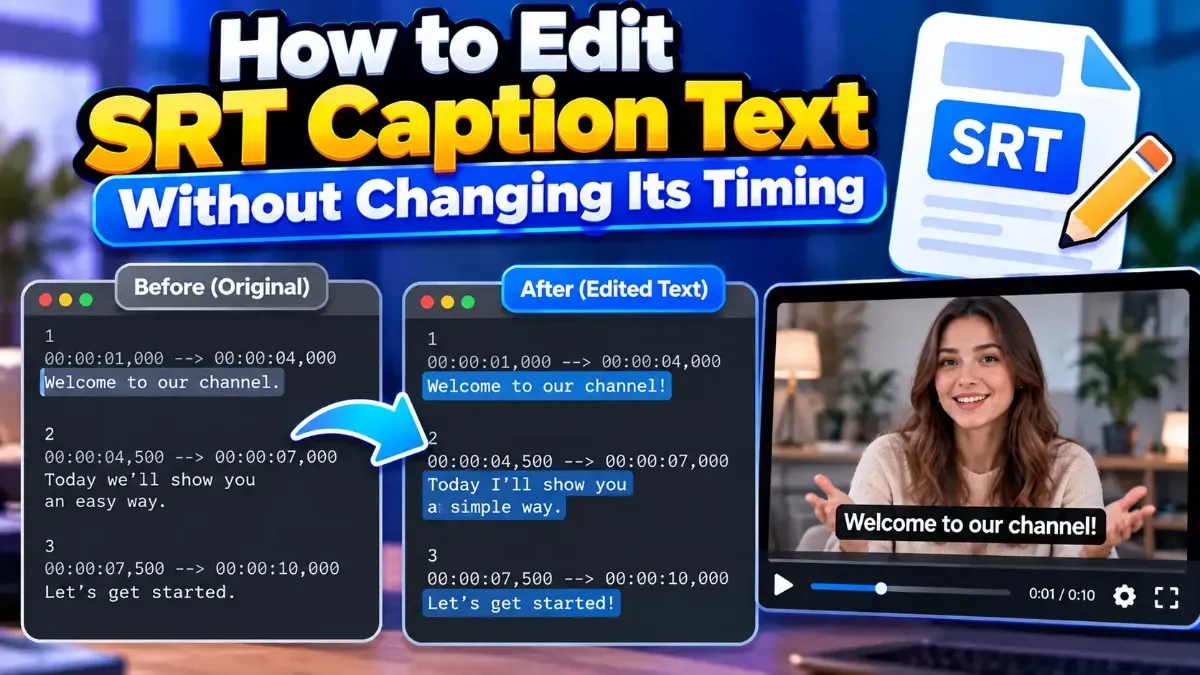
To edit SRT text without changing timing, change only the words inside each subtitle cue. Leave the cue numbers and timestamp lines exactly as they are, and preserve the blank line between cues. Then save the file as an .srt and check that the captions still appear at the intended moments.
This approach works for simple corrections, clearer wording, and translation touch-ups. The key is to treat an SRT file as structured text: a small accidental change to a timestamp or cue boundary can affect playback even when the words look right.
An SRT, or SubRip subtitle file, is made up of separate subtitle cues. A typical cue contains a number, a start and end time, one or more lines of caption text, and a blank line before the next cue.
12
00:01:14,500 --> 00:01:17,200
We should leave before it gets dark.
In this example, “We should leave before it gets dark” is the editable text. The number and the timestamp line define the cue’s position and display duration. If those lines stay unchanged, changing the text alone does not alter the timing information stored in the file.
00:01:14,500 --> 00:01:17,200. Keep both values and the arrow as they are.| Part of the SRT cue | Safe to edit? | Why it matters |
|---|---|---|
| Subtitle wording | Yes | This is the visible caption text. Changing it does not change the stored timestamps. |
| Punctuation and spelling | Yes | These corrections affect the text, not when the cue appears. |
| Line breaks within a cue | Usually | They affect how text is displayed, so check readability on screen. |
| Cue number | No | Numbers identify the order of cues. Keep them unless you are deliberately repairing the file structure. |
| Start and end timestamps | No | These determine when the subtitle appears and disappears. |
| Blank line between cues | No | It separates one cue from the next in standard SRT formatting. |
One altered digit can move a caption earlier or later. Timestamp values usually use hours, minutes, seconds, and milliseconds, separated by commas before the milliseconds. For example, changing 00:01:14,500 to 00:01:41,500 would make a substantial timing change. When editing text in a long file, avoid selecting across the timestamp line.
The blank line helps mark where one cue ends and the next begins. If you remove it, some players or editors may parse the file incorrectly. Keep a clear blank line after each cue’s text, including the final cue when your editor preserves that format.
Breaking a long caption into two lines does not change its timestamps, but it can make the subtitle easier or harder to read. Keep related words together, avoid awkward splits, and preview the result at the size and aspect ratio where the video will be watched.
Names, accented characters, and non-Latin scripts may display incorrectly if the file is saved with an unsuitable character encoding. Keep the .srt extension and, when your editor offers an encoding choice, use a Unicode-compatible option such as UTF-8. Check the saved file for characters that may have been replaced or corrupted.
If timing must remain exact—for example, when captions have already been approved—compare the timestamps in the edited file with those in the original. The cue numbers and every start and end time should match. A text comparison tool can help spot accidental changes, but make sure you review the differences carefully: the intended wording edits will also appear as changes.
For a quick text-only correction, the safest method is simple: edit the words, leave the timing and structure alone, and inspect the saved file. If you need a guided browser workflow, the SRT Editor can help you edit subtitle files while keeping the cue information visible for review.
Yes. Edit only the caption text lines and leave the cue numbers and timestamp lines unchanged. The timing information will remain the same.
No. Punctuation changes affect the displayed text, not the start or end timestamps, as long as you do not edit those timestamp lines.
Yes. A line break within a cue changes how the text is arranged, not its timestamps. Preview the caption to make sure the new layout is easy to read.
Compare the edited timestamps with the original and check that cue boundaries and blank lines remain intact. Also confirm that the video player is using the intended SRT file.
A cue number is not a timestamp, but changing or removing numbers can cause compatibility or ordering problems in some software. When making text-only edits, leave cue numbers untouched.
We build fast, free and private browser tools — and write practical guides on how to use them.
Learn how to open and read an SRT subtitle file in your browser, understand its timestamps and cues, and troubleshoot common formatting problems.
Learn how to merge two SRT subtitle files while keeping their timing intact. Find out how to handle cue order, overlaps, offsets, and common formatting issues.
Subtitles may disappear too quickly because their display duration is too short, their timestamps are incorrect, or a player is handling the file differently than expected. Learn how to diagnose and fix the timing.
Start typing to search tools and articles.